
How-to guide
Coaches
Add or edit a player on your team
Add players to your roster, and fix a name or jersey number, without leaving the team screen.
Updated Aug 13, 2026
3 min
4 steps
Add a player
-
1
Open the Players tab
Go to the Teams tab and pick your team. Players is the first tab, and the number beside it is how many are on the roster.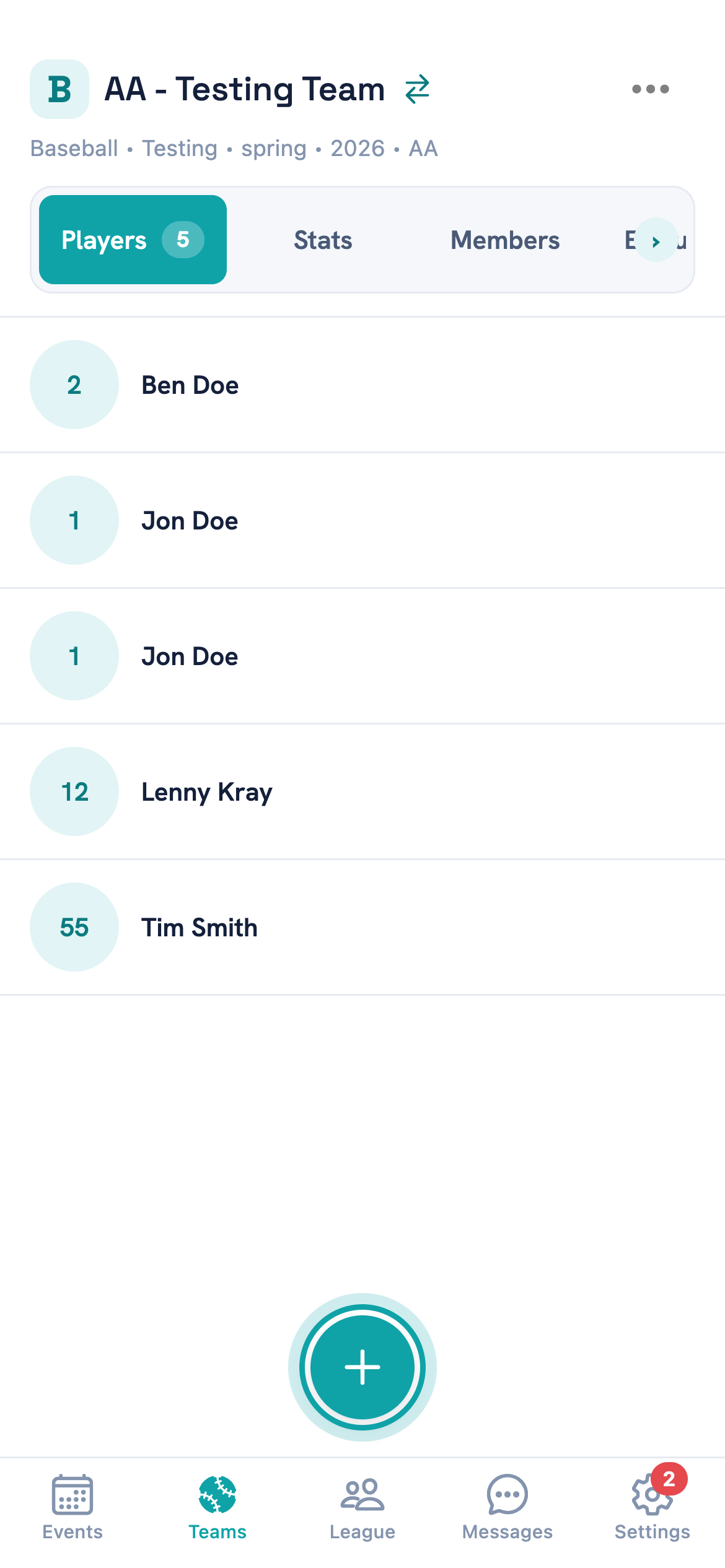
The add button is the round + at the bottom. It only appears if you have permission to add players. -
2
Tap the + button
It sits at the bottom right of the roster and opens a blank Add Player form. -
3
Fill in what you know
Enter the player's first name, last name and jersey number.You need at least a first or last name — a jersey number on its own won't save. The number field takes digits only, up to three.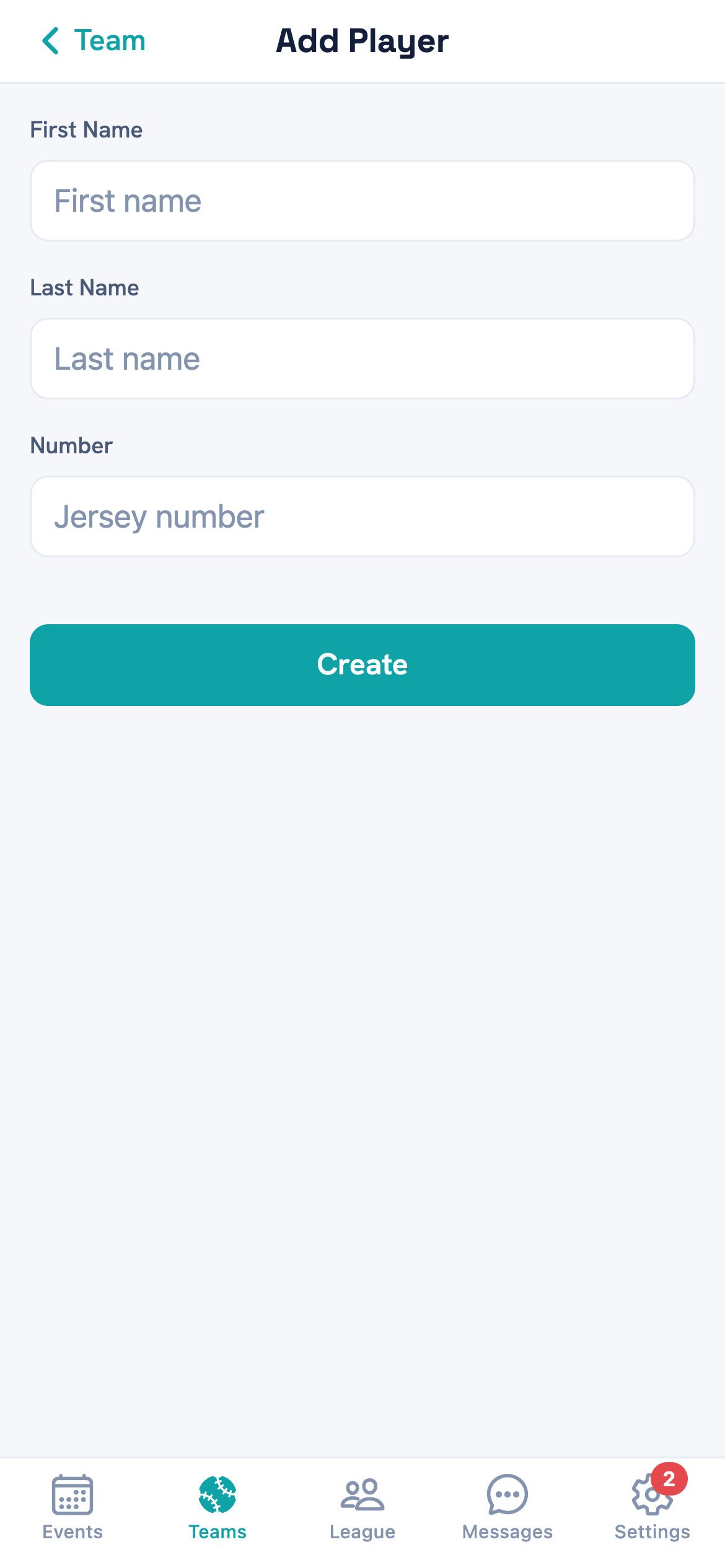
Number is optional, and you can add it later. -
4
Tap Create
The player is added and you land back on the roster with them in the list.
Edit a player you've already added
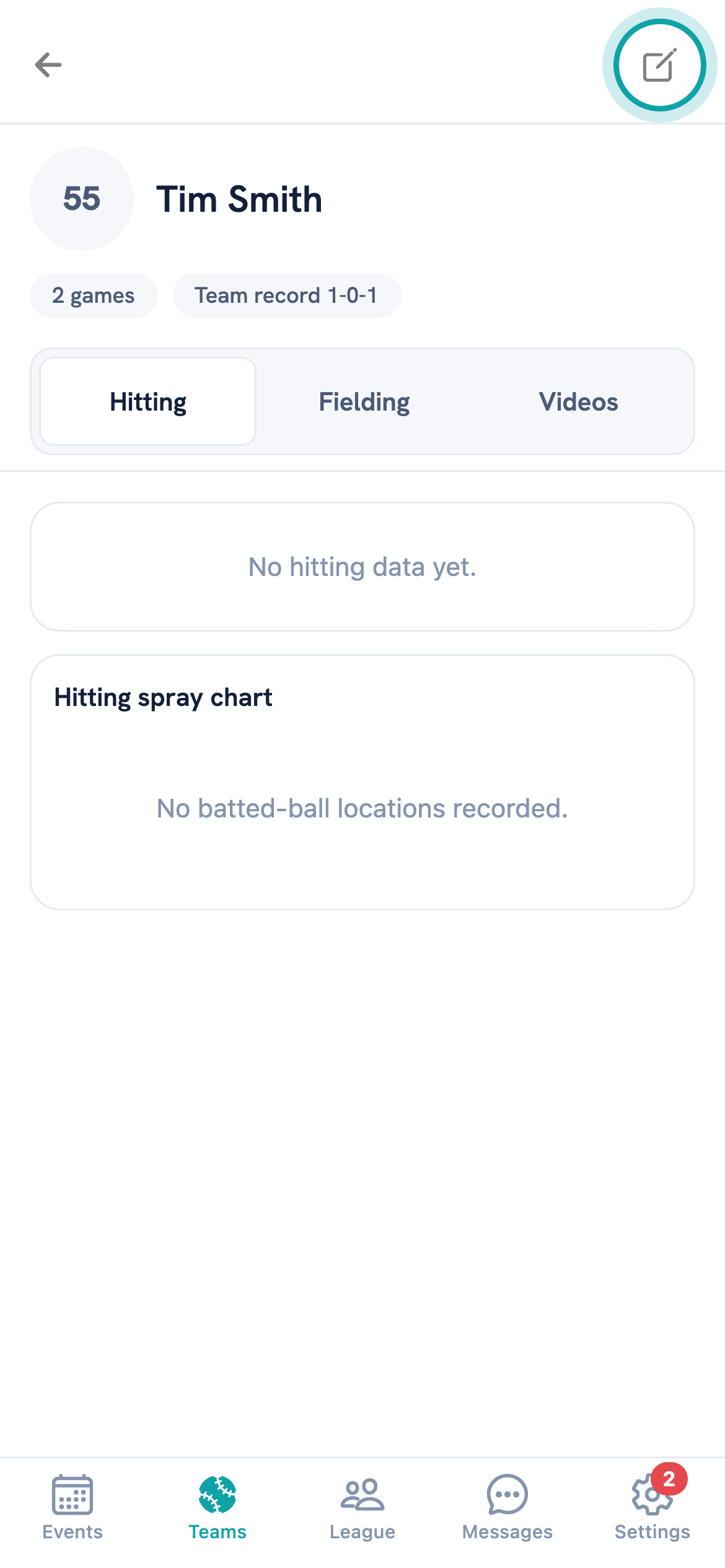
Tap the player's row in the Players tab to open their details, then tap the pencil in the top right. That opens the same form as before, headed Edit Player and filled in with what's already there.
Change what you need and tap Update. The same rule applies — you can clear the jersey number, but you can't clear both names.
Questions
Common questions
I don't see a button to add a player
The add button only renders if you have permission to add players to that team. If it isn't there, you don't have it yet — ask whoever set the team up.
Can two players have the same number?
Yes, nothing stops it. It's worth avoiding, because scoring and lineups show the number rather than the name in a few places.
Do I have to fill in a jersey number?
No. A player saves without one and shows a dash where the number would be. You can add it whenever numbers get handed out.
How do I fix a misspelled name?
Tap the player in the Players tab, tap the pencil, correct the name and tap Update. The change shows on the roster straight away.
How do I remove a player from the roster?
You can't from the team screen — there's no delete there. Ask your league admin, who can remove a player at the league level.
Still stuck?
Tell us what you were trying to do and where it went wrong, and we'll take a look.